No payment information
You do not enter a card, PayPal account, or other payment method to claim the trial.

Create a free account first, connect that account inside Tabpia, then start your one-time Pro trial from the extension’s Account panel.
Registration prepares your account. It does not start the trial countdown.
Register with your email address or Google sign-in. Verify your email if Tabpia asks you to.
Open registrationInstall Tabpia, open a New Tab, select the settings button, choose Account, and click Sign in. Complete the website confirmation to connect this browser.
Choose your browserAfter the account is connected, click the purple trial button shown below and confirm. Your one-time 30-day Pro period starts immediately after confirmation.
Follow Tabpia’s prompt to connect the bookmarks and workspaces already on this browser. Cloud sync can then keep supported data consistent across your connected computers.
It appears in the Account panel only when the connected account is eligible. You will see the duration and the no-payment message before starting.
The trial is one-time. Start it when you have time to test syncing on the computers you use.
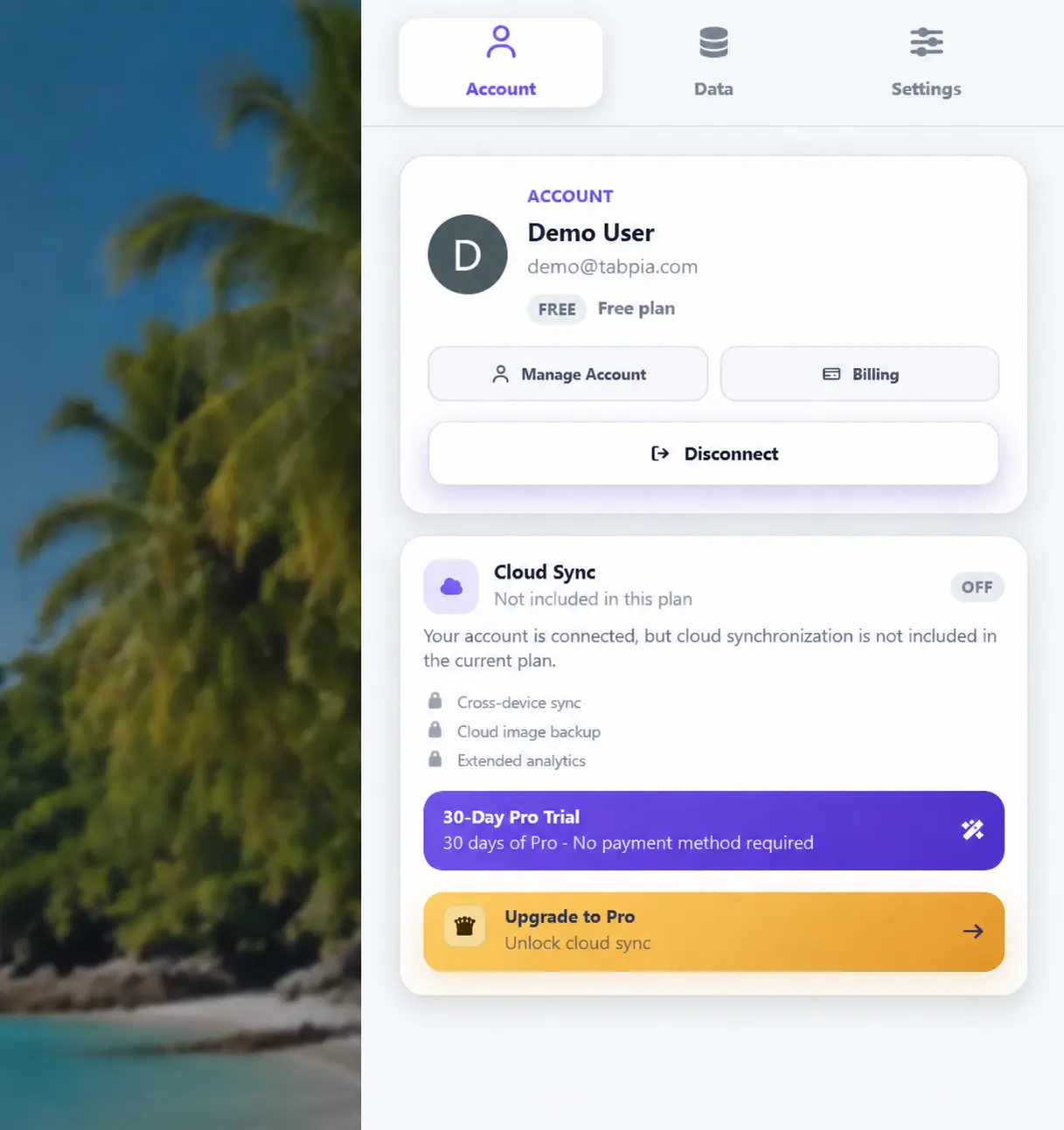
You do not enter a card, PayPal account, or other payment method to claim the trial.
The countdown starts when you confirm the trial inside the extension—not when you register.
When the trial ends, the account returns to the applicable Free plan unless you separately purchase Pro.
Your local Tabpia setup remains useful whether or not you choose cloud sync.